In the shop
Mark parts off as you cut (on your phone)
At the saw you want to know what is cut and what is left. Cut mode turns the cut list into a big checklist with the sheet above it. It works the same on a computer, but it is made for the phone in your apron.
Steps
-
Open your project on your phone.
-
Tap Cut in the switch at the top (Plan, Cut, 3D). The editing panels go away: the sheet sits on top and the checklist scrolls below it.
-
Under Parts, tap a row as each part comes off the saw, or tap the part on the sheet. The row gets a check, and the part dims with a hatch and a check on the sheet.
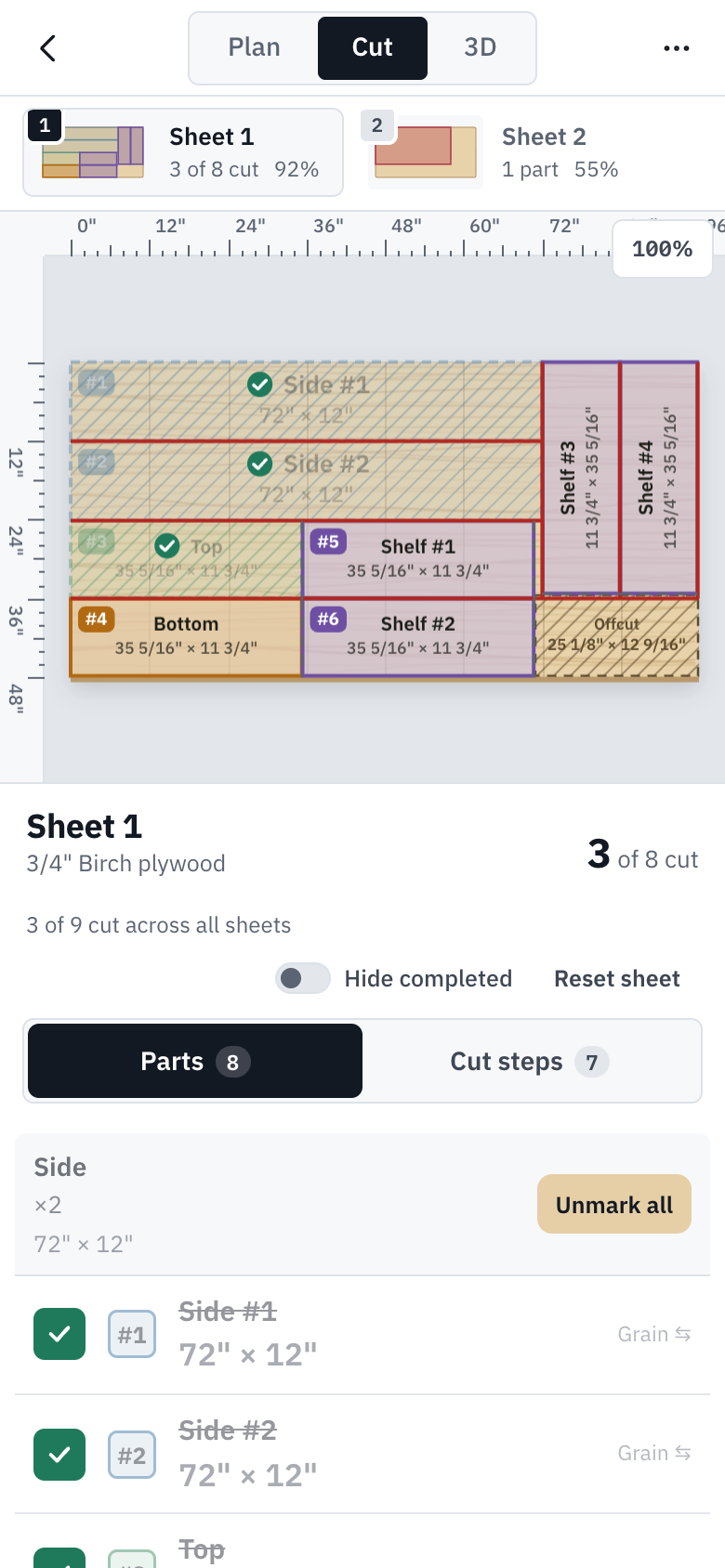
Three parts cut. The counts read 3 of 8 on this sheet and 3 of 9 across all sheets. -
Tap Cut steps to follow the cuts in order, each as a fence setting. Tap a step when it is done; its line fades on the sheet. Sheet 1's steps are free; the steps for the other sheetsPro come with Pro or a Project Pass for that project.
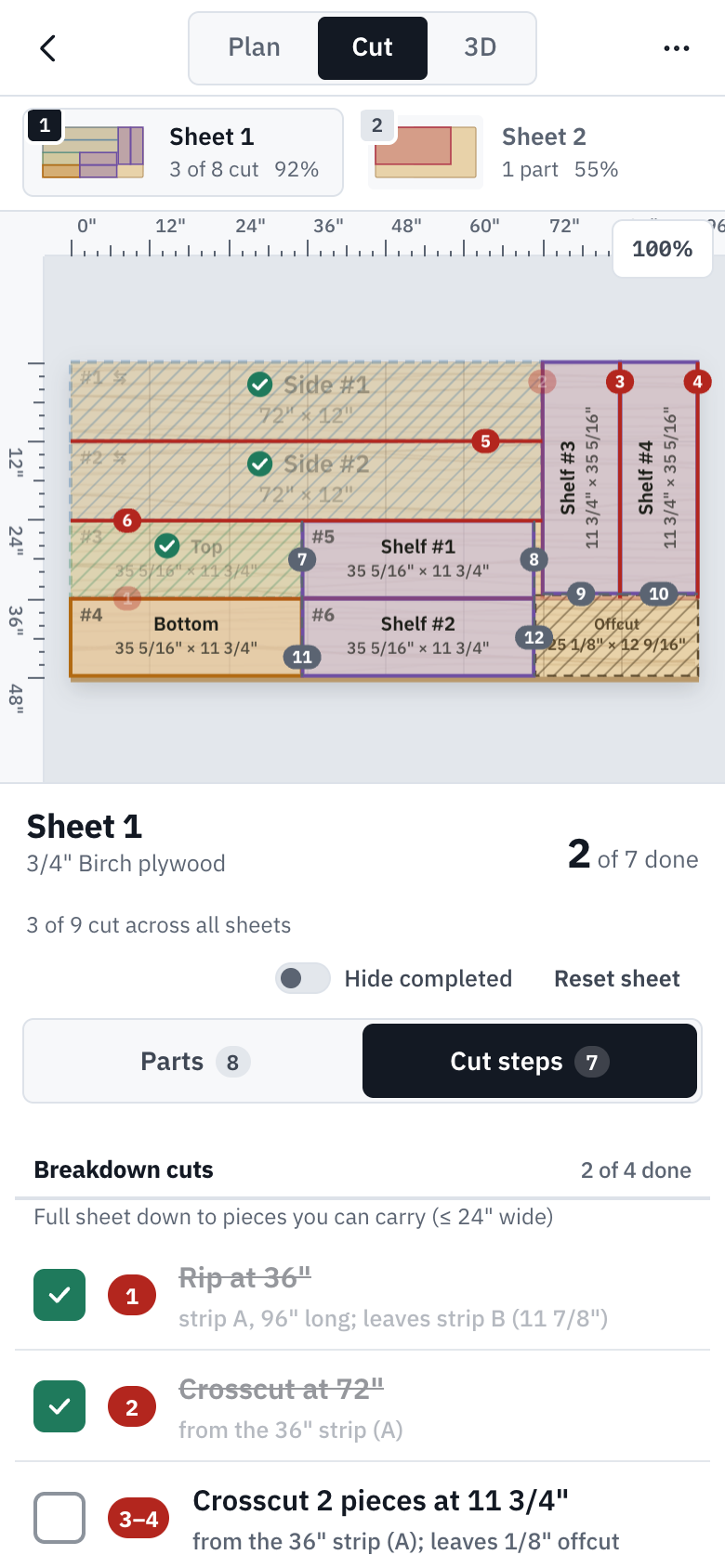
Cut steps: the first two breakdown cuts done. Rip at 36" means the piece between fence and blade is 36" wide. -
On Parts, once every part on the sheet is ticked, tap Next: Sheet 2 to carry on with the next sheet that has parts left.
Good to know
- Identical parts sit under one header with a button that ticks them all at once, such as Mark all 2 cut for the two sides. Once they are all ticked it reads Unmark all.
- In Cut steps, the strips the sheet is ripped into are lettered A, B, C, and every later cut names its strip, so you know which piece to pick up. The last cut in a strip says what it leaves.
- Hide completed shortens either list to what is left. Reset sheet starts the sheet over. Tapped the wrong one? Undo.
- In Cut mode, dragging the sheet only moves the view, so a stray thumb never moves a part. Pinch to zoom.
- Your ticks are saved with the project, and parts already cut stay where they are if you optimize again.
Try it
Try it Opens the bookshelf example as your own copy. Tap Cut at the top.