Planner
Choose a strategy: max yield, table-saw friendly, or fewest big cuts
Optimize can lay your sheets out three ways. The arrow next to it shows the sheets, yield and big cuts each one gives for your project, so you can compare before you choose. The pictures use the bookshelf example; all its 3/4" parts are on Sheet 1, so that is the sheet to watch.
Steps
-
Click the arrow next to Optimize (its tooltip reads Choose how to optimize). The Optimize for menu lists the three methods, each with what it would give for this project.
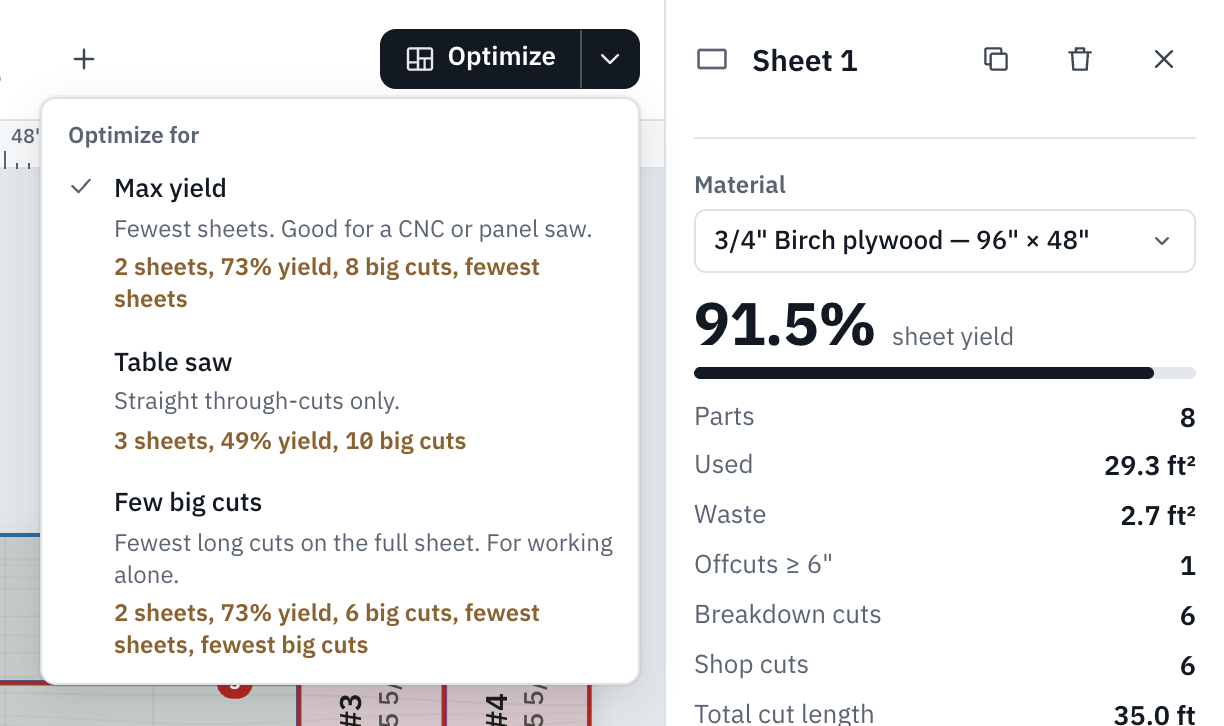
For the bookshelf: Max yield, 2 sheets, 73% yield, 8 big cuts. Table saw, 3 sheets, 49% yield, 10 big cuts. Few big cuts, 2 sheets, 73% yield, 6 big cuts. -
Pick Max yield. The sheets are laid out again at once. Look at Sheet 1.
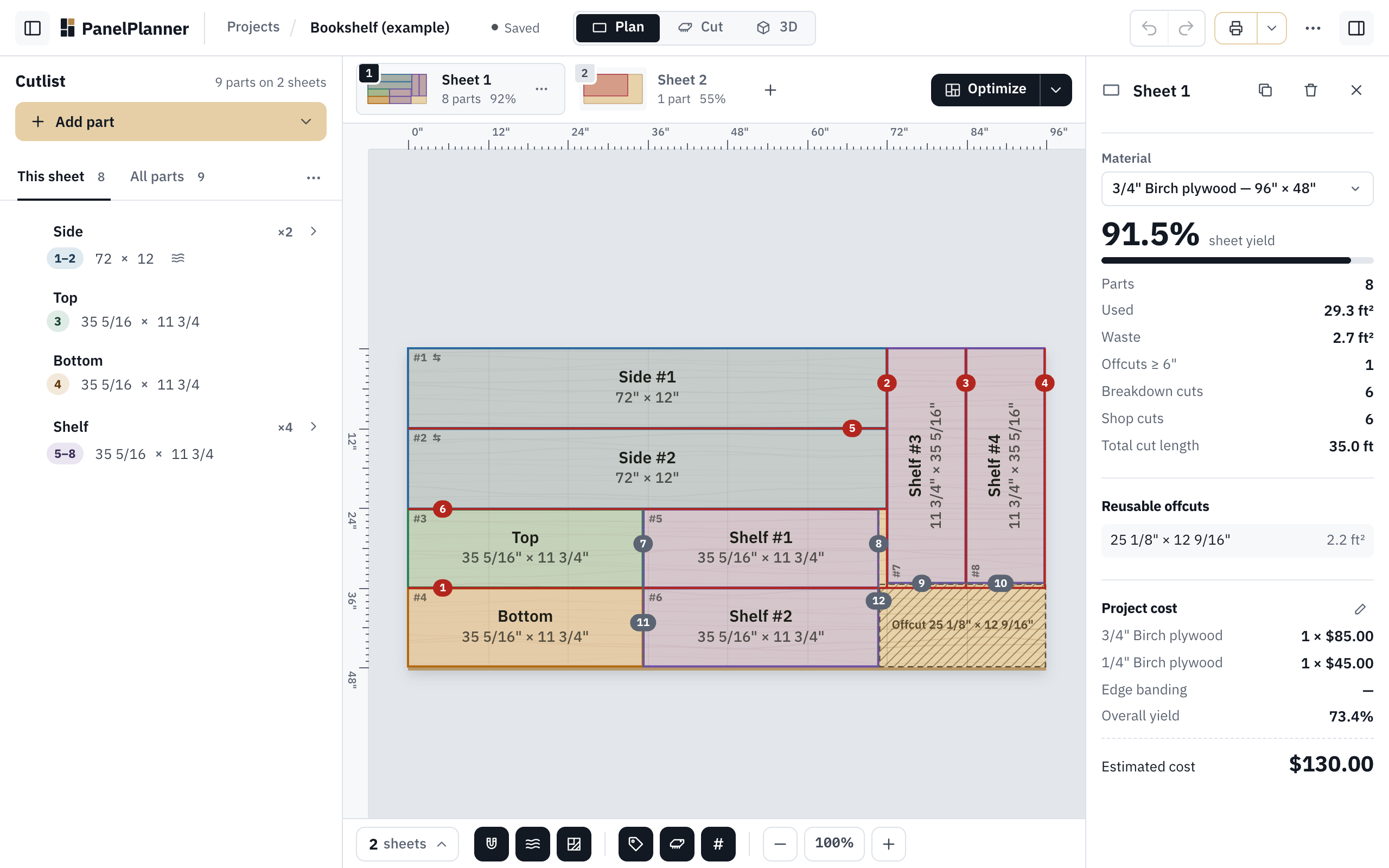
Max yield: all eight 3/4" parts on Sheet 1 at 92%. The right panel counts the cuts: 6 breakdown cuts and 6 shop cuts. -
Open the menu again and pick Table saw.
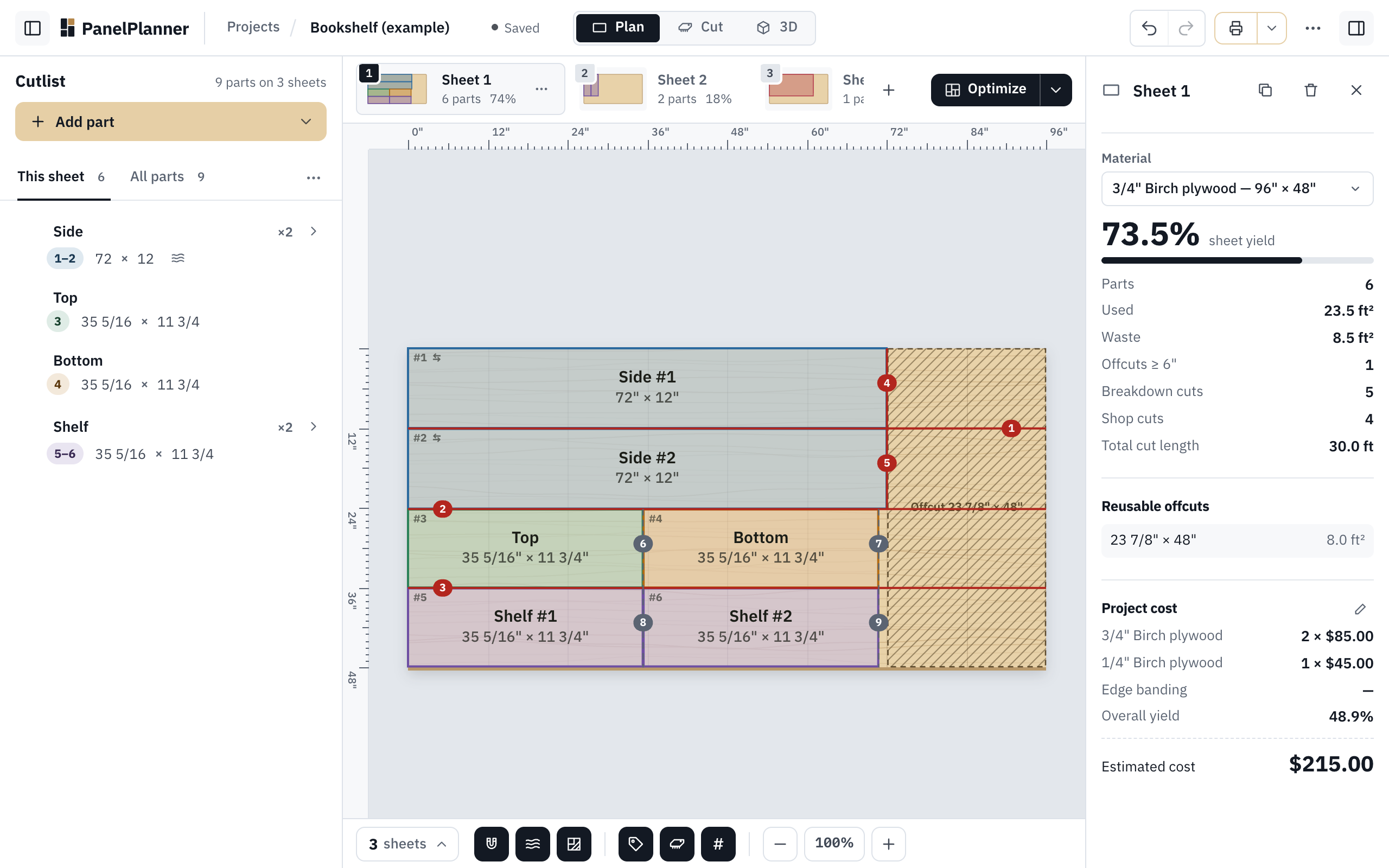
Table saw keeps every cut straight through, but for this bookshelf its layout leaves the last two shelves off Sheet 1: they go on a third sheet, and the estimated cost goes from $130.00 to $215.00. -
Open the menu again and pick Few big cuts.
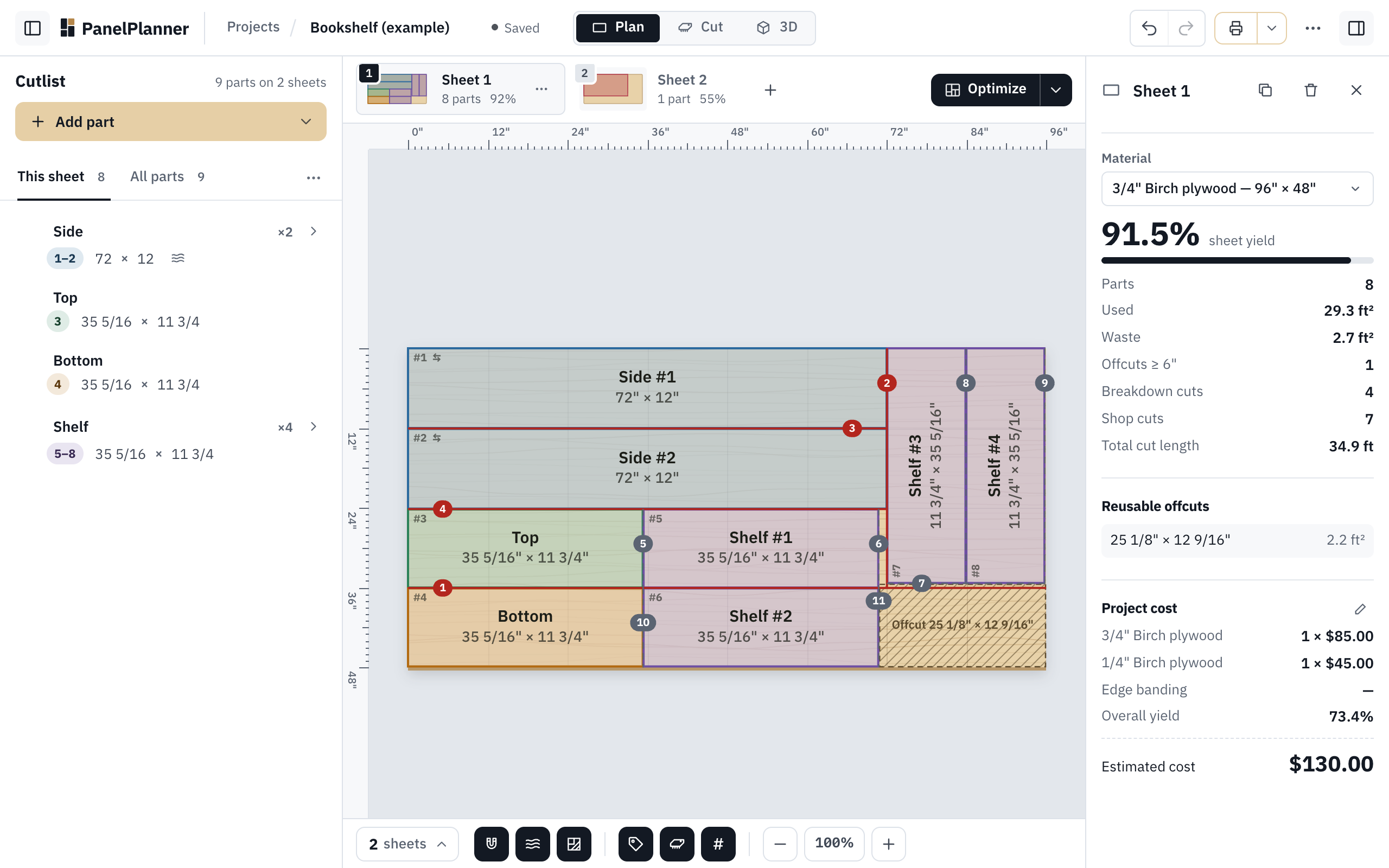
Few big cuts: the same layout as Max yield here, cut in a different order: 4 breakdown cuts on Sheet 1 instead of 6, and 7 shop cuts. -
Keep the one that suits your saw and your sheets. Undo goes back to the layout you had, and the method stays ticked in the menu for the next time you click Optimize. For this bookshelf, Max yield or Few big cuts; Table saw costs a sheet more.
Which one to pick
- Max yield: Fewest sheets. Good for a CNC or panel saw.
- Table saw: Straight through-cuts only. Every cut runs from one edge of the piece to the other, the way a table saw cuts. Check its sheet count in the menu first: for some projects it needs more sheets than the other two.
- Few big cuts: Fewest long cuts on the full sheet. For working alone. It lays the parts out in full-length strips, because the full sheet is the hard part to handle, and it can use a little more plywood than Max yield.
A big cut is a cut on a piece too big to handle at the saw, made on the floor or on sawhorses. The right panel counts them as Breakdown cuts (free on Sheet 1, on every sheet with Pro), and the cuts on pieces you can carry to the table saw or miter saw as Shop cuts. The menu adds up the big cuts on every sheet: for the bookshelf, 2 of them are on the back's sheet.
Try it
Try it Opens the bookshelf example as your own copy. The arrow next to Optimize compares all three for it.